


This form handles both AggieAccess requests and physical keys. If you have any issues or questions regarding keys, please email [email protected].
- Go to https://internal.metro.ucdavis.edu/index.php?showpage=keyrequest
- If prompted, log in with your CAS credentials.
Select New under Request Type. After selection is made, the Key User Information section will appear below.

Enter the @ucdavis.edu email of the Key User into Email field. ( Note: The form will not continue if a @ucdavis.edu email is not used ) Expanded user information taken from campus databases will appear below the email field after an email is entered.

Please make sure the information is correct in the expanded user information area. All red box selections are required fields. Note: Sponsoring Department is the responsible department for the requested key, it may not be what appears automatically in the form. Please update if necessary. Mobile # is needed in case of emergency.

Enter required keys in the New Keys section.

Use the Key Name drop down menus to select your desired keys. Scroll down to find the Building listing followed by the Room #. If you see the room number in multiple entries, just select one and the Key Admin will update the request and assign the correct key. PES and Veihmeyer Buildings use AggieAccess instead of physical keys to enter the building. Look for - Aggie Access to the right of the building name. For all other buildings look for - Building entry text next to the building name.
Select and Expiration date for each key selection under the Expires column.

Please add any additional notes such as special circumstances and etc.
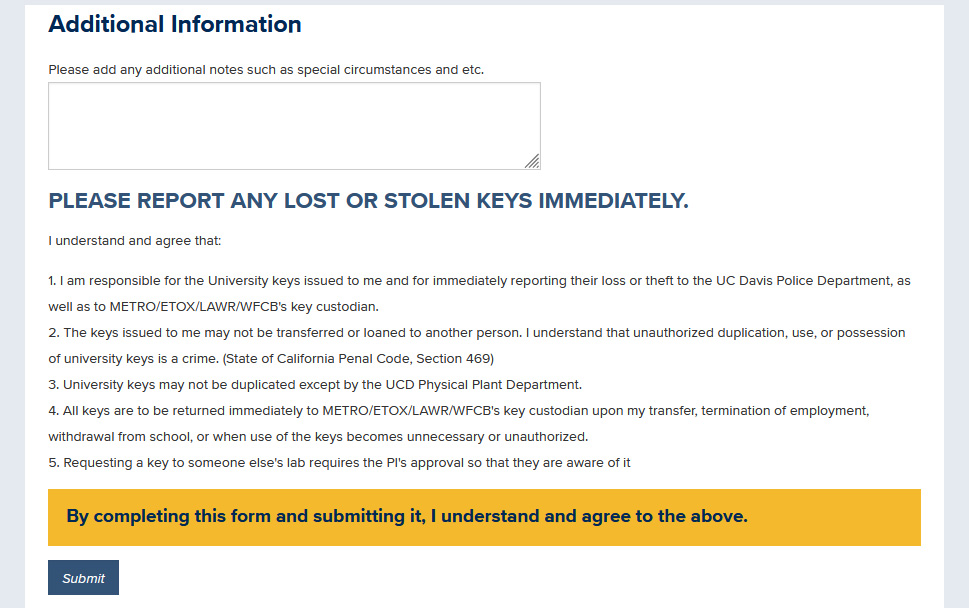
- Click Submit
What happens after I submit my request?
Key Form Flowchart: https://www.metro.ucdavis.edu/key-request-flowchart
If a user makes the request, an email will be sent to the PI/Supervisor so that they may review the request. They can either approve/update/add/deny the individual keys in the request.
If the PI/Supervisor makes the request, then an email will be sent to Key Admins to review the request.
Note: In the case that there is a request for building access for and undergraduate student, the request will be sent to the CAO for review. Please make sure to state the reason for this request.)
If you have any issues or questions regarding keys, please email [email protected].